

A good timer should make the next start, end, and edit action obvious. FastingOS keeps the timer tied to plans, notes, and safe next actions.
Free fasting app checklist
Best Free Fasting App
What to check in any free fasting app before you move your history, and how FastingOS answers each check. This page does not rank other apps.
We checked these answers against FastingOS on October 9, 2026. FastingOS runs in a browser. For any phone app, read its current store listing, pricing screen, privacy controls, and free limits before you move your history.
Short answer
A useful free fasting app should stay useful after you create the account
The best free fasting app is the one you can keep using after the first timer. A timer matters, but the next few days matter more. You need a plan that fits your schedule, a clear way to log food or meals, safety language that does not turn fasting into a medical promise, and account controls that let you export or delete data if you leave.
FastingOS is a web-first fasting app. You can use the calculators, protocols, and guides without an account. A free account adds the timer, planning, the coach, and export and delete controls. The app shows no ads, and you can try the daily routine before you commit your history.
Native fasting apps can be a better fit when lock-screen widgets, operating-system alarms, wearable or health-data sync, and a phone-only notification loop keep you consistent. FastingOS does not claim those native integrations. This page shows its current browser workflow so you can judge the tradeoff before creating an account.
A fasting app earns trust when it helps you choose the first meal, track patterns, and avoid turning fasting into punishment.
A free app should not trap your fasting history. FastingOS places export and delete controls in Settings for account data.
Current product
See the browser app before signup
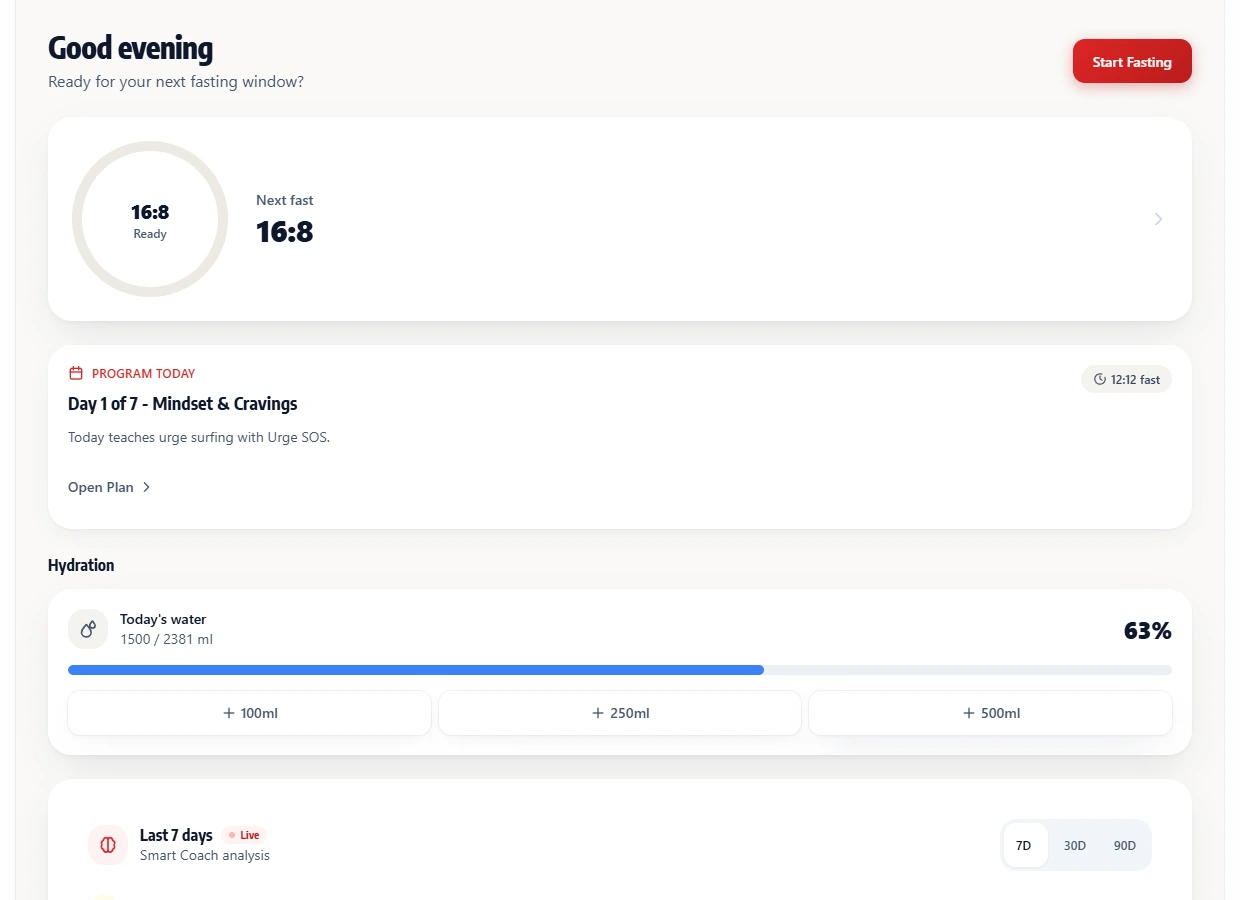
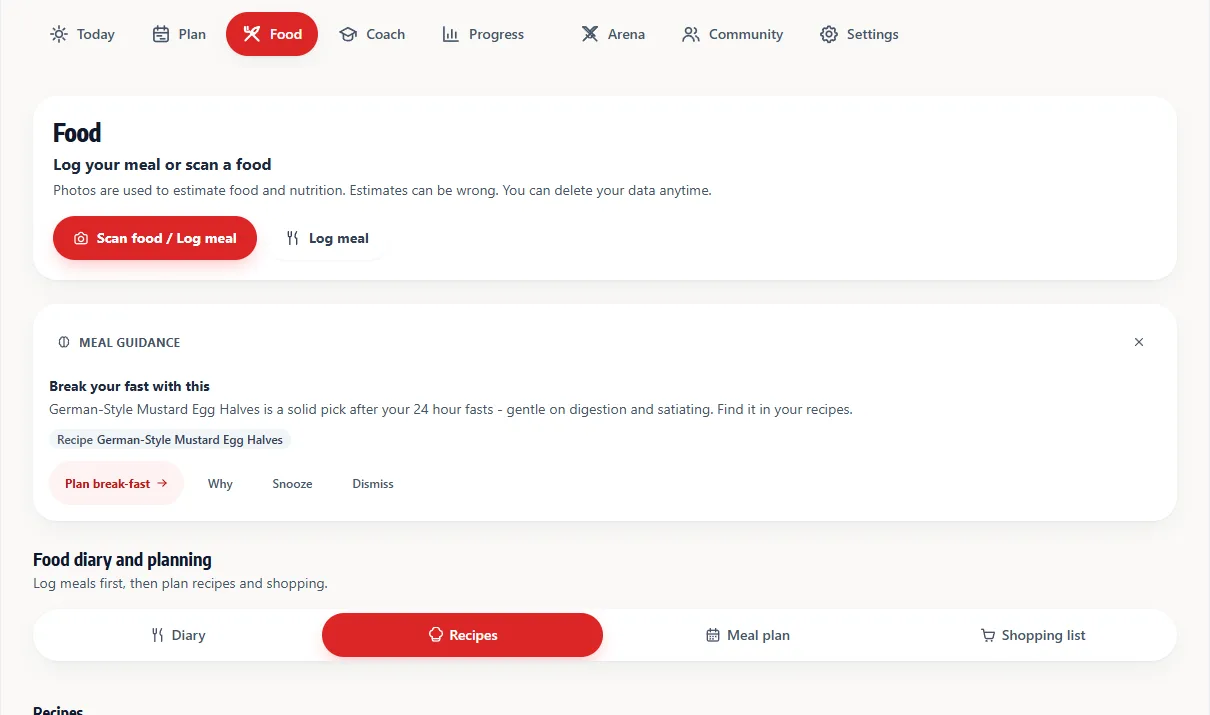
Real FastingOS screens with example data: the Today view with the timer, and the Food view.
Decision checklist
What makes a fasting app worth using
Start with the timer, then look past it. A fasting timer should be easy to edit because real days change. A plan library should explain who a protocol may fit and when a shorter window is a safer option. Food tools should help you break a fast with a steady meal instead of pushing extremes. A coach should use careful language and cite the data behind a suggestion.
Price also belongs in the checklist. Some free apps rely on ads. Others start with a free install, then move useful history, plans, reminders, or insights behind premium gates. That does not make them bad products, but it changes the decision. If you want a free-first fasting app, read the store page, check the account settings, and test what still works after onboarding.
| Factor | What to check | FastingOS approach |
|---|---|---|
| Timer | Can you start, edit, and recover from a missed end time without friction? | Web timer with plan context, notes, and conservative guidance. |
| Timer limits | Which preset durations and custom windows stay usable without payment? | The free account includes 12:12 through 48-hour presets plus a custom window; extended presets carry clinician-guidance language. |
| Plans | Does the app explain 12:12, 14:10, 16:8, and longer windows without pressure? | Public protocol pages and schedule tools explain conservative options. |
| Food loop | Does the app help with meals after the fast, not only the fasting clock? | Recipes, break-fast meal ideas, and app food scanning sit near the timer. |
| Hydration | Can you set a water goal, log drinks, review history, and export the records? | FastingOS includes a hydration goal, quick drink logging, progress charts, and hydration export. |
| Safety | Does the copy avoid medical promises and tell high-risk users to ask a clinician? | FastingOS uses safety caveats on public pages and careful coach language. |
| Data | Can you export or delete account data before you leave? | Export and delete controls live in Settings. |
| Price | Does free mean usable, or does the core workflow require premium gates? | Core tools, timer, recipes, protocols, coach surfaces, export, and delete stay available with a free account. |
Product limits
Choose browser access or phone-level integration
FastingOS works in a browser on desktop and mobile. That makes public calculators, protocols, and guides available before signup, and keeps the account workflow portable across devices.
Choose a native app instead when lock-screen widgets, exact operating-system alarms, wearable or health-data sync, or a phone-only notification loop is essential to the habit. FastingOS can use browser notifications when the browser supports them, but it does not replace those native integrations.
- Browser strength: public planning tools and account access across desktop and mobile.
- Native-app strength: deeper operating-system reminders, widgets, and health integrations.
- FastingOS limitation: food-photo and nutrition outputs are estimates, not laboratory measurements.
- Decision rule: test the daily loop you will actually use before moving fasting history.
How to choose
Use the free workflow before you move history
A good test takes less than ten minutes. Generate a schedule, calculate a 16:8 window, read the matching protocol, and choose a simple first meal. If those steps feel clear, create a free account and test the timer for two or three ordinary days. If the app asks you to change your whole routine before you understand the basics, keep comparing.
FastingOS works well when you want a browser-accessible fasting timer, public planning tools, recipes, conservative language, and data controls. It is a weaker fit when your fasting habit depends on native widgets, health sync, exact alarms, or a mobile-only notification loop. That tradeoff is intentional because the product favors public search surfaces and portability first.
- Use a public calculator before creating an account.
- Check whether the plan language stays conservative.
- Open settings and verify export/delete controls after signup.
- Keep your first window manageable instead of chasing a long fast.
Evidence reviewed
How we checked this page
We took the screenshots above from a FastingOS 5.5.1 account with example data, then checked each answer against the Today, Food, and Settings screens, the timer presets, the hydration log, the public calculators, the protocol pages, and the recipe catalog. We make no claims about the limits of other apps, and we do not credit FastingOS with phone features it lacks.
The app can change after our last check. After you sign up, open Settings and confirm the export, delete, hydration, and notification controls before you store any history.
FAQ
Common questions
What is the best free fasting app?
The best choice depends on your routine. FastingOS fits people who want a web-first timer, public tools before signup, no app ads, and visible export/delete controls. Native apps may fit better if widgets, exact alarms, and health sync drive your habit.
Is FastingOS free to use?
Yes. You can use public tools before signup and create a free account for the core timer, planning, coach, recipes, protocols, export, and delete controls.
Does FastingOS show ads?
No app ads are part of the FastingOS experience described on these pages.
When is a native fasting app a better choice?
Choose a native app when lock-screen widgets, exact operating-system alarms, wearable or health-data sync, or a phone-only notification loop is essential to the habit.
Test the timer, the food log, and the export controls yourself before you store any history.
Create a free account