


The IF macro calculator turns your TDEE into calorie, protein, carbohydrate and fat targets for training days and rest days, then times your meals inside a fasting window. Use it when you already know your TDEE; if you don’t, start with the TDEE calculator. The targets are planning defaults, not medical or sports-nutrition advice.
Last verified 6 Oct 2026 against the calculator’s code, the ISSN protein position stand (Jäger and colleagues, 2017) and the 3,500-calories-per-pound rule (Wishnofsky, 1958).
IF Macro & Meal-Timing Planner
Set a weekly calorie target, cycle carbohydrates around training, and map meals inside your eating window
This planner keeps protein steady, shifts more carbohydrates to training days, and balances rest-day calories so the weekly average matches your selected goal.
Related Calculators
Medical Disclaimer: This calculator provides estimates for educational purposes only and does not constitute medical advice. Intermittent fasting is not appropriate for everyone. Do not fast if you are pregnant or breastfeeding, under 18 years of age, have a history of eating disorders, or have been diagnosed with Type 1 diabetes. If you take medications (especially insulin or blood pressure medication), have any chronic health conditions, or are recovering from surgery, consult your physician before beginning any fasting protocol. If you experience chest pain, fainting, persistent dizziness, or heart palpitations during a fast, stop immediately and seek medical attention.
How your macros are worked out
The calculator works in five steps. The percentages are its own planning settings, so treat the result as a starting point and adjust it after a few weeks.
1. Your weekly calorie budget
The calculator multiplies your TDEE by 7 and by the share your goal allows. Each training day gets a fixed share of your TDEE, and the rest days split what is left of the week in equal parts.
| Goal | Weekly average | Training day |
|---|---|---|
| Maintain / Recompose | 100% of TDEE | 105% of TDEE |
| Fat Loss | 90% of TDEE | 95% of TDEE |
| Muscle Gain | 108% of TDEE | 112% of TDEE |
These shares are the calculator’s planning assumptions, not measured effects of each goal.
2. The 1,200-calorie floor
The calculator never sets a training day or a rest day below 1,200 calories. If the sums put a day under that line, it raises the day to 1,200 and shows a warning, and your weekly average then sits above the goal you picked. Seek qualified guidance if you need a plan below 1,200 calories.
3. Protein
Protein is your body weight in pounds x 0.8, about 1.76 g per kg, and it stays the same on both day types. If that amount would supply more than 35% of the lower day’s calories, the calculator lowers it to that cap. The 1.76 g per kg starting point sits inside the 1.4 to 2.0 g per kg a day that the International Society of Sports Nutrition calls sufficient for most people who exercise.
Source: Jäger and colleagues, Journal of the International Society of Sports Nutrition, 2017.
4. Fat and carbohydrate
Fat supplies 35% of rest-day calories and 25% of training-day calories. Carbohydrate fills the calories left after protein and fat. The calculator counts 4 calories per gram of protein and carbohydrate and 9 per gram of fat. Both fat shares are the calculator’s own settings.
5. Meal times and the weekly summary
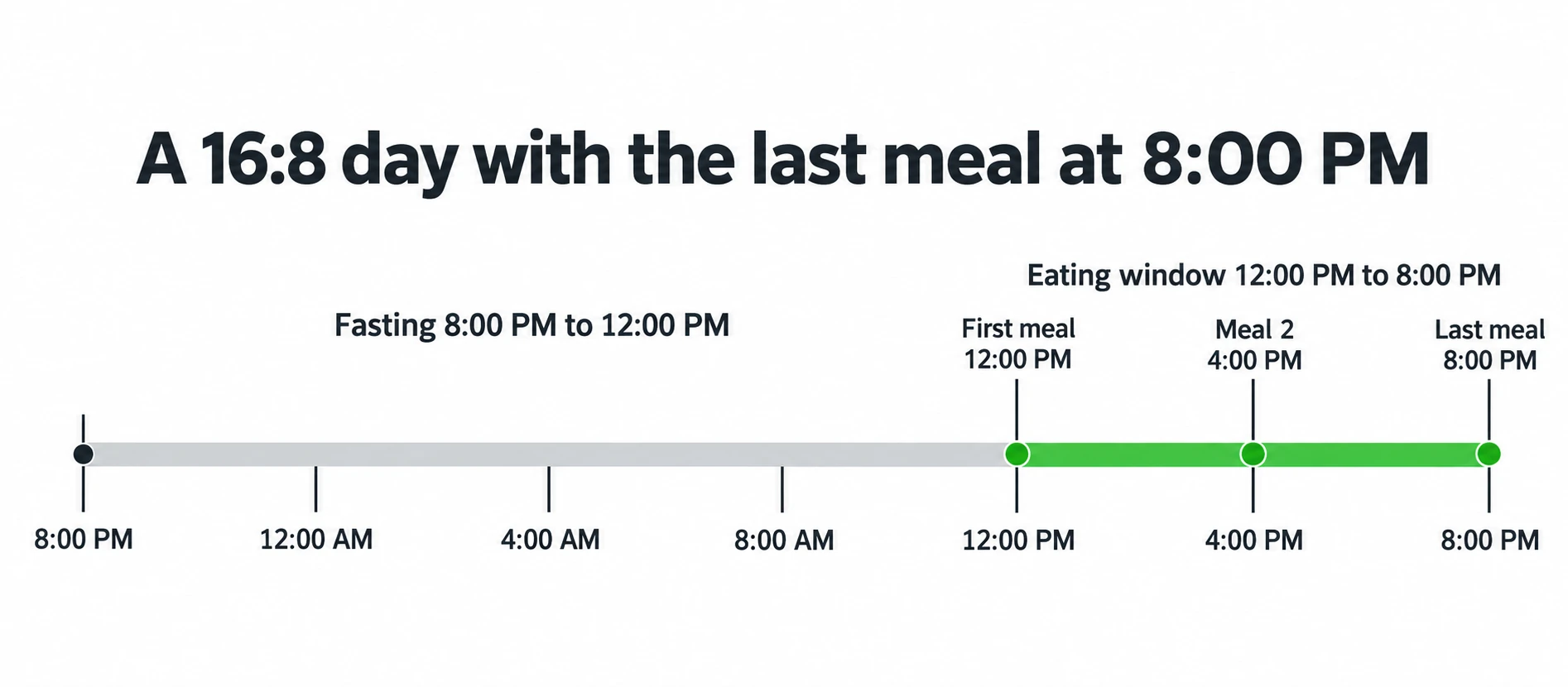
Your fast starts at the usual last-meal time you enter. The eating window opens when the fast ends and lasts the protocol’s eating hours, so it closes at that same last-meal time: 16:8 with an 8:00 PM last meal gives a window from 12:00 PM to 8:00 PM. The calculator places your meals at equal gaps from the start of the window to its end.
The weekly summary adds up both day types and compares the total with 7 days of your TDEE. The estimated scale trend divides that weekly difference by 3,500 calories, the traditional estimate of the energy in a pound of body fat. That rule overstates loss over several months, because you burn fewer calories as your weight drops.
Sources: Wishnofsky, American Journal of Clinical Nutrition, 1958; Hall and colleagues, The Lancet, 2011.
Worked example: the default inputs
The TDEE box starts empty, so this example types in 2,000, the number the box shows as a hint. Everything else stays at the defaults: last meal at 8:00 PM, 180 lb, 16:8, 3 meals, Maintain / Recompose and 3 training days.
| Step | Result |
|---|---|
| Weekly budget (2,000 x 7 x 100%) | 14,000 calories |
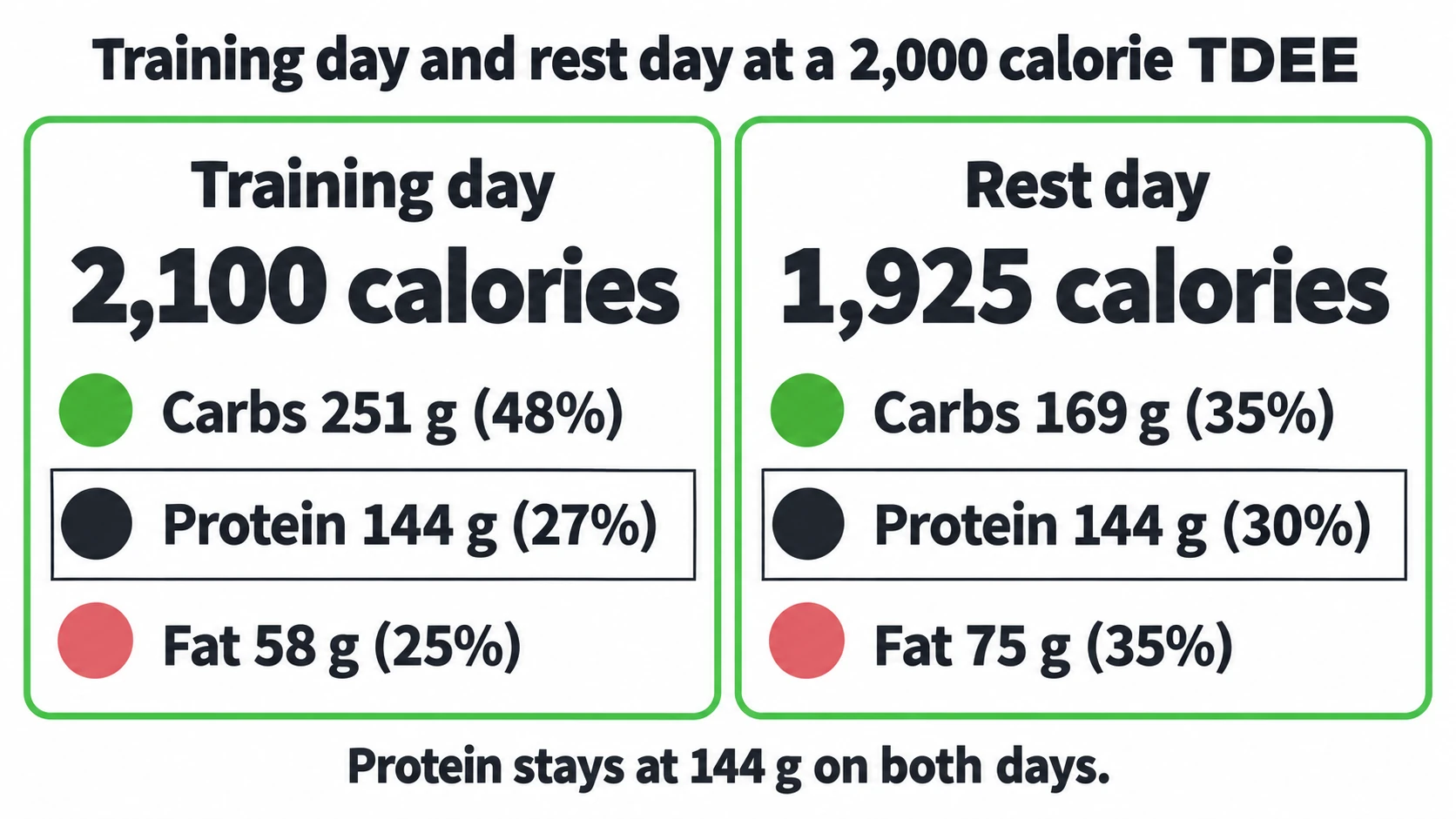
| Training day (2,000 x 105%) | 2,100 calories |
| Rest day ((14,000 – 6,300) / 4) | 1,925 calories |
| Protein (180 x 0.8) | 144 g on both day types |
| Training day macros | 251 g carbohydrate, 144 g protein, 58 g fat |
| Rest day macros | 169 g carbohydrate, 144 g protein, 75 g fat |
| Eating window | 12:00 PM to 8:00 PM |
| Meals | 12:00 PM, 4:00 PM and 8:00 PM |
| Weekly total | 14,000 calories, an average of 2,000 a day |
| Weekly energy difference | 0, so the scale trend reads “maintenance” |
IF macro questions
Why are macros different on training days and rest days?
Training days get more calories, and with fat held at 25% of them, most of the extra goes to carbohydrate. Rest days get fewer calories, with fat at 35%. Protein stays the same on both.
How much protein does the calculator use?
0.8 g per pound of body weight, about 1.76 g per kg, on every day. If that would supply more than 35% of the lower day’s calories, the calculator caps it so fat and carbohydrate still fit.
Why did the calculator apply a calorie floor?
At least one day type came out below 1,200 calories, so the calculator raised it to 1,200. Your weekly average is then higher than the goal you picked. Seek qualified guidance if you need a lower-calorie plan.
Do I have to train while fasted?
No. The calculator times your meals but does not schedule training. Train when your performance and recovery are best.
How do I know whether the targets are working?
Track your average body weight and training performance for two to four weeks before you change calories, as the result panel suggests. If the trend misses your goal, check your TDEE first: a wrong TDEE gives wrong targets.
Sources
- International Society of Sports Nutrition position stand: protein and exercise. Jäger R, Kerksick CM, Campbell BI, Cribb PJ, et al. Journal of the International Society of Sports Nutrition, 2017; 14: 20.
- Caloric equivalents of gained or lost weight. Wishnofsky M. American Journal of Clinical Nutrition, 1958; 6: 542-546.
- Quantification of the effect of energy imbalance on bodyweight. Hall KD, Sacks G, Chandramohan D, Chow CC, et al. The Lancet, 2011; 378: 826-837.
More fasting tools
- OMAD calculator: see whether your calories and macros fit into one meal.
- Fasting weight loss calculator: estimate how many weeks your fasting plan takes to reach a goal weight.
- Fasting schedule generator: get daily eating and fasting windows for a protocol and a start time.
- All fasting calculators: every fasting calculator in one list.